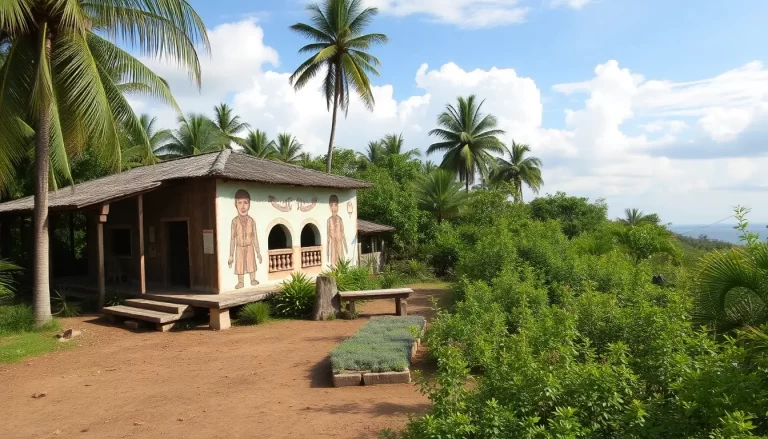


Editing travel photographs is an essential skill that can elevate your images from ordinary to extraordinary. Whether you are a novice or an experienced photographer, understanding the ins and outs of photo editing can transform your travel memories into stunning visuals that captivate and inspire. Here, we will explore essential editing techniques to enhance your travel photography and make your images stand out.
Understanding the Importance of Post-Processing
Post-processing is a vital step in digital photography, akin to the darkroom techniques used in film photography. This phase involves enhancing the images you’ve captured to present them in their best light. Many photographers overlook this crucial step, but editing can dramatically improve the overall quality of your photos.
When you edit, you can correct exposure issues, enhance colors, and even completely transform the mood of a photograph. The right editing techniques can help you achieve a polished look, making your travel images more impactful and engaging for your audience.
1. Mastering the Art of Cropping
The crop tool is one of the most fundamental editing tools available. Cropping allows you to resize your image and adjust the aspect ratio, which can be essential for different publishing formats. A well-cropped photo can draw attention to the subject and eliminate distractions.
For instance, consider a landscape shot where the horizon is too low, making the sky dominate the image. By cropping the photo, you can emphasize the foreground, creating a more balanced composition. Here are some key reasons to crop:
- To eliminate distractions from the edges of the frame.
- To enhance composition by using techniques such as the rule of thirds.
- To adjust the aspect ratio for specific platforms or prints.
Editing tools like Snapseed and Lightroom make cropping intuitive. You can select the crop tool, highlight the area you wish to retain, and finalize your adjustments with a simple click.
2. Leveling Your Images for Better Composition
One common issue in photography is an uneven horizon line. While it’s easy to forget this simple compositional rule in the heat of capturing a moment, leveling your images during the editing process can significantly enhance their aesthetic appeal.
Most editing software includes a leveling tool, often found within the crop tool. By aligning the horizon line, your photographs will have a more professional look. Tools like Lightroom and Snapseed provide straightforward options to rotate the image and ensure the horizon is straight.
Remember, a level horizon is crucial for landscape shots, as it can dramatically affect how viewers perceive your photograph.
3. Utilizing Vignetting for Focus
Vignetting involves darkening or lightening the edges of your image to draw attention to the central subject. This technique can create a sense of depth and focus within your photos, making the primary subject stand out.
Both Snapseed and Lightroom offer customizable vignetting options that allow you to control the intensity and size of the effect. For example, you can darken the edges while keeping the center bright, which is particularly effective in portrait photography. Here are some benefits of vignetting:
- It helps emphasize the focal point in your image.
- It adds a creative touch to otherwise flat images.
- It can enhance the mood by directing the viewer’s gaze.
4. Adjusting Shadows and Highlights for Balance
Shadows and highlights represent the darkest and brightest areas of your images. Adjusting these elements can help balance exposure and reveal details that may be lost in too-dark shadows or overexposed highlights.
Most editing software includes specific tools for shadows and highlights, allowing you to selectively brighten or darken these areas. For instance, in a photo of a sunset, you might want to enhance the colors of the sky while ensuring the foreground remains visible. Here’s how to effectively adjust shadows and highlights:
- Use the shadow tool to brighten dark areas without affecting the overall exposure.
- Lower highlights to reduce glare and bring back details in bright areas.
- Make subtle adjustments to avoid introducing noise into your images.
5. Increasing Contrast for Visual Impact
Contrast is a powerful tool in photo editing that accentuates the difference between light and dark areas. By enhancing contrast, you can create a more dynamic and visually striking image.
When editing, a slight increase in contrast can make a significant difference, bringing details to life and adding depth to your photos. For example, in a silhouette shot against a sunset, increasing contrast can emphasize the outlines while maintaining the vibrant colors of the sky. Here’s how to adjust contrast effectively:
- Start with small adjustments to identify the right balance.
- Avoid excessive contrast, which can lead to loss of detail in shadows.
- Combine contrast adjustments with brightness and saturation for a well-rounded effect.
6. Adjusting Colors for Enhanced Mood
Color adjustment is a crucial aspect of photo editing that can significantly alter the mood of your images. You can tweak the overall warmth, saturation, and individual color hues to create the desired effect.
Using the saturation tool, you can increase the vibrancy of colors or desaturate them for a more muted look, which is excellent for black-and-white conversions. Here are some tips for effective color adjustments:
- Experiment with warmth to evoke different emotions—cooler tones can feel calm, while warmer tones can feel inviting.
- Be cautious with saturation; excessive vibrancy can lead to unrealistic results.
- Isolate colors within the image to enhance specific elements without affecting the whole photograph.
7. Blemish Removal for Clean Images
Blemish correction, also known as image healing, is an essential editing technique for removing unwanted distractions from your photos. Whether it’s a stray object in the background or a small imperfection on a subject’s face, blemish removal can create a cleaner, more polished image.
Most editing software features a healing or clone tool that allows you to paint over the area you wish to remove, filling it in with surrounding pixels. Here are some effective practices for blemish removal:
- Zoom in on the area for precise edits, particularly when removing small imperfections.
- Use feathering options to ensure a smooth transition between the edited area and its surroundings.
- Always check the final result to ensure that the edit looks natural and unnoticeable.
Choosing the Right Editing Software
There are numerous editing tools available to help you refine your travel photographs. Here’s a list of some of the best editing software options:
- Adobe Lightroom – The industry standard for professional photographers, offering extensive editing features and excellent file management.
- Snapseed – A powerful, user-friendly mobile app that provides a wide range of editing tools suitable for both beginners and advanced users.
- Photoscape – A versatile and free tool that offers basic editing features, making it perfect for quick adjustments.
By mastering these editing techniques and utilizing the right tools, you’ll be able to enhance your travel photographs dramatically. Remember, editing is not just about applying filters; it’s about refining your images to tell a better story. As you practice and explore these techniques, you’ll develop your unique style and improve the quality of your travel photography.